<?xml version="1.0" encoding="UTF-8"?>
<rss version="2.0"
	xmlns:content="http://purl.org/rss/1.0/modules/content/"
	xmlns:wfw="http://wellformedweb.org/CommentAPI/"
	xmlns:dc="http://purl.org/dc/elements/1.1/"
	xmlns:atom="http://www.w3.org/2005/Atom"
	xmlns:sy="http://purl.org/rss/1.0/modules/syndication/"
	xmlns:slash="http://purl.org/rss/1.0/modules/slash/"
	>

<channel>
	<title>Markus Scheidgen</title>
	<atom:link href="http://www.markus-scheidgen.de/?feed=rss2" rel="self" type="application/rss+xml" />
	<link>http://www.markus-scheidgen.de</link>
	<description></description>
	<lastBuildDate>Tue, 24 Jan 2012 10:44:48 +0000</lastBuildDate>
	<language>en</language>
	<sy:updatePeriod>hourly</sy:updatePeriod>
	<sy:updateFrequency>1</sy:updateFrequency>
	<generator>http://wordpress.org/?v=3.3.1</generator>
		<item>
		<title>ClickWatch &#8211; Operating Testbeds for Network Devices</title>
		<link>http://www.markus-scheidgen.de/?p=300</link>
		<comments>http://www.markus-scheidgen.de/?p=300#comments</comments>
		<pubDate>Fri, 01 Jul 2011 10:38:31 +0000</pubDate>
		<dc:creator>Markus</dc:creator>
				<category><![CDATA[software modeling]]></category>
		<category><![CDATA[wireless sensor networks]]></category>
		<category><![CDATA[eclipse]]></category>
		<category><![CDATA[frameworks]]></category>
		<category><![CDATA[software engineering]]></category>
		<category><![CDATA[wireless networking]]></category>

		<guid isPermaLink="false">http://www.webgambas.com/?p=300</guid>
		<description><![CDATA[The central aim of ClickWatch is to mask the complexity of dynamic distributed hardware systems consisting of hundreds of nodes. For a user such a system appears as a simple centralized software system. This allows to accomplish the challenging task of administrating and monitoring large-scale test-beds.&#160; ClickWatch is an eclipse and EMF-based tool that allows [...]]]></description>
			<content:encoded><![CDATA[<p>The central aim of ClickWatch is to mask the complexity of dynamic distributed hardware systems consisting of hundreds of nodes. For a user such a system appears as a simple centralized software system. This allows to accomplish the challenging task of administrating and monitoring large-scale test-beds.&nbsp;</p>
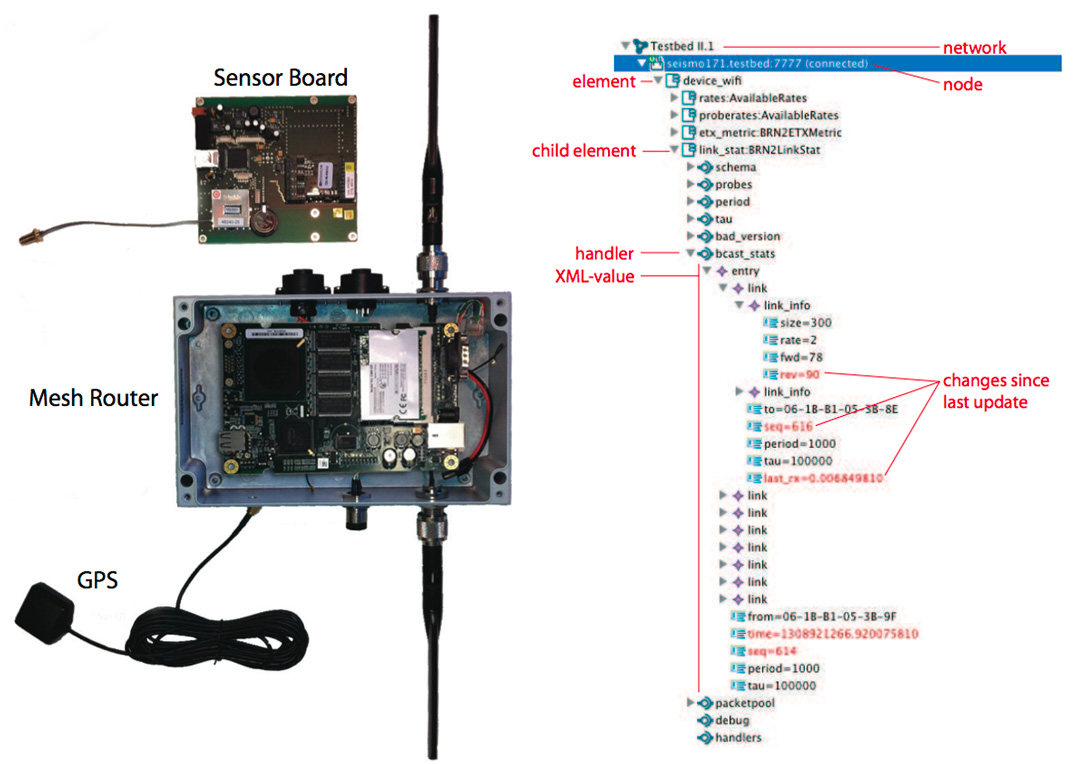
<p>ClickWatch is an eclipse and EMF-based tool that allows to analyse and control networks programmed with the Click-API. The Click-API is a C++ based component model specially designed for routers. ClickWatch accumulates data from multiple network nodes. The status of the network as well as the generation of reports and network statistics can be easily accomplished using a model-driven transformation approach. With the help of a graphical interface ClickWatch accelerates the software development process. The status of the network can be analysed at runtime so that the user is able to adapt the router configuration to the changing environment.</p>
<p>This explains ClickWatch for the HWL network as an example:</p>
<p><object width="460" height="292"><param name="movie" value="http://www.youtube.com/v/c3RmUXvczV0?version=3&amp;hl=en_US&amp;rel=0"></param><param name="allowFullScreen" value="true"></param><param name="allowscriptaccess" value="always"></param><embed src="http://www.youtube.com/v/c3RmUXvczV0?version=3&amp;hl=en_US&amp;rel=0" type="application/x-shockwave-flash" width="460" height="292" allowscriptaccess="always" allowfullscreen="true"></embed></object></p>
<p><br/></p>
<p>Learn more about ClickWatch and out work at the Humboldt Wireless Lab <a href="http://hwl.hu-berlin.de" target="new">here</a>.</p>
]]></content:encoded>
			<wfw:commentRss>http://www.markus-scheidgen.de/?feed=rss2&#038;p=300</wfw:commentRss>
		<slash:comments>0</slash:comments>
		</item>
		<item>
		<title>Present Large Chunks of Code with JFace TitleAreaDialog</title>
		<link>http://www.markus-scheidgen.de/?p=287</link>
		<comments>http://www.markus-scheidgen.de/?p=287#comments</comments>
		<pubDate>Wed, 15 Jun 2011 19:01:25 +0000</pubDate>
		<dc:creator>Markus</dc:creator>
				<category><![CDATA[software modeling]]></category>
		<category><![CDATA[code piece]]></category>
		<category><![CDATA[eclipse]]></category>
		<category><![CDATA[frameworks]]></category>
		<category><![CDATA[software engineering]]></category>
		<category><![CDATA[swt]]></category>

		<guid isPermaLink="false">http://www.webgambas.com/?p=287</guid>
		<description><![CDATA[Some times it is surprising how long you need to solve a very particular but in also very simple problem. I thought I better share the solution. The Problem Often when programming eclipse plug-ins, you want to show some piece of code to the user. Just for informational purposes or as debug info. For example [...]]]></description>
			<content:encoded><![CDATA[<p><img class="alignnone size-medium wp-image-294" title="TextAreaDialog example to show large code to user" src="wp-content/uploads/2011/06/Screen-shot-2011-06-15-at-5.05.27-PM-460x352.png" alt="TextAreaDialog example to show large code to user" width="460" height="352" /></p>
<p><em>Some times it is surprising how long you need to solve a very particular but in also very simple problem. I thought I better share the solution.</em></p>
<h2>The Problem</h2>
<p>Often when programming eclipse plug-ins, you want to show some piece of code to the user. Just for informational purposes or as debug info. For example an XML-representation of a model your software handles, or some log-dump, a textual representation for some graph you visualize, etc.</p>
<h2>The Solution &#8211; TitleAreaDialog</h2>
<p>In eclipse, you have JFace and SWT as GUI-programming APIs. JFace provides you with TitleAreaDialog, a class of dialogs that gives you a &#8220;title area&#8221; showing a label that describes what the user sees and a pair ok/cancel buttons. In between the title area and the two buttons you can place whatever you want. We want to place a text area with the code that we want to show to the user.</p>
<p>Here it is:</p>

<div class="wp_syntax"><div class="code"><pre class="java" style="font-family:monospace;"><span style="color: #000000; font-weight: bold;">public</span> <span style="color: #000000; font-weight: bold;">class</span> ShowCodeDialog <span style="color: #000000; font-weight: bold;">extends</span> TitleAreaDialog <span style="color: #009900;">&#123;</span>
&nbsp;
	<span style="color: #000000; font-weight: bold;">private</span> Text text<span style="color: #339933;">;</span>
	<span style="color: #000000; font-weight: bold;">private</span> <span style="color: #000000; font-weight: bold;">final</span> <span style="color: #003399;">String</span> code<span style="color: #339933;">;</span>
&nbsp;
	<span style="color: #000000; font-weight: bold;">public</span> ShowCodeDialog<span style="color: #009900;">&#40;</span>Shell parentShell, <span style="color: #003399;">String</span> code<span style="color: #009900;">&#41;</span> <span style="color: #009900;">&#123;</span>
		<span style="color: #000000; font-weight: bold;">super</span><span style="color: #009900;">&#40;</span>parentShell<span style="color: #009900;">&#41;</span><span style="color: #339933;">;</span>
		<span style="color: #000000; font-weight: bold;">this</span>.<span style="color: #006633;">code</span> <span style="color: #339933;">=</span> code<span style="color: #339933;">;</span>
	<span style="color: #009900;">&#125;</span>
&nbsp;
	@Override
	<span style="color: #000000; font-weight: bold;">public</span> <span style="color: #000066; font-weight: bold;">void</span> create<span style="color: #009900;">&#40;</span><span style="color: #009900;">&#41;</span> <span style="color: #009900;">&#123;</span>
		<span style="color: #000000; font-weight: bold;">super</span>.<span style="color: #006633;">create</span><span style="color: #009900;">&#40;</span><span style="color: #009900;">&#41;</span><span style="color: #339933;">;</span>
		setTitle<span style="color: #009900;">&#40;</span><span style="color: #0000ff;">&quot;Code&quot;</span><span style="color: #009900;">&#41;</span><span style="color: #339933;">;</span>
		setMessage<span style="color: #009900;">&#40;</span><span style="color: #0000ff;">&quot;This explains what you see.&quot;</span>,
		        IMessageProvider.<span style="color: #006633;">INFORMATION</span><span style="color: #009900;">&#41;</span><span style="color: #339933;">;</span>
&nbsp;
	<span style="color: #009900;">&#125;</span>
&nbsp;
	@Override
	<span style="color: #000000; font-weight: bold;">protected</span> <span style="color: #003399;">Control</span> createDialogArea<span style="color: #009900;">&#40;</span><span style="color: #003399;">Composite</span> parent<span style="color: #009900;">&#41;</span> <span style="color: #009900;">&#123;</span>
		<span style="color: #003399;">GridLayout</span> layout <span style="color: #339933;">=</span> <span style="color: #000000; font-weight: bold;">new</span> <span style="color: #003399;">GridLayout</span><span style="color: #009900;">&#40;</span><span style="color: #009900;">&#41;</span><span style="color: #339933;">;</span>
		layout.<span style="color: #006633;">numColumns</span> <span style="color: #339933;">=</span> <span style="color: #cc66cc;">1</span><span style="color: #339933;">;</span>
		parent.<span style="color: #006633;">setLayout</span><span style="color: #009900;">&#40;</span>layout<span style="color: #009900;">&#41;</span><span style="color: #339933;">;</span>
&nbsp;
		GridData gridData <span style="color: #339933;">=</span> <span style="color: #000000; font-weight: bold;">new</span> GridData<span style="color: #009900;">&#40;</span><span style="color: #009900;">&#41;</span><span style="color: #339933;">;</span>
		gridData.<span style="color: #006633;">horizontalAlignment</span> <span style="color: #339933;">=</span> SWT.<span style="color: #006633;">FILL</span><span style="color: #339933;">;</span>
		gridData.<span style="color: #006633;">verticalAlignment</span> <span style="color: #339933;">=</span> SWT.<span style="color: #006633;">FILL</span><span style="color: #339933;">;</span>
		gridData.<span style="color: #006633;">grabExcessHorizontalSpace</span> <span style="color: #339933;">=</span> <span style="color: #000066; font-weight: bold;">true</span><span style="color: #339933;">;</span>
		gridData.<span style="color: #006633;">grabExcessVerticalSpace</span> <span style="color: #339933;">=</span> <span style="color: #000066; font-weight: bold;">true</span><span style="color: #339933;">;</span>
&nbsp;
		text <span style="color: #339933;">=</span> <span style="color: #000000; font-weight: bold;">new</span> Text<span style="color: #009900;">&#40;</span>parent, SWT.<span style="color: #006633;">MULTI</span> <span style="color: #339933;">|</span> SWT.<span style="color: #006633;">BORDER</span> <span style="color: #339933;">|</span>
                        SWT.<span style="color: #006633;">H_SCROLL</span> <span style="color: #339933;">|</span> SWT.<span style="color: #006633;">V_SCROLL</span><span style="color: #009900;">&#41;</span><span style="color: #339933;">;</span>
		text.<span style="color: #006633;">setText</span><span style="color: #009900;">&#40;</span>code<span style="color: #009900;">&#41;</span><span style="color: #339933;">;</span>
		text.<span style="color: #006633;">setEditable</span><span style="color: #009900;">&#40;</span><span style="color: #000066; font-weight: bold;">false</span><span style="color: #009900;">&#41;</span><span style="color: #339933;">;</span>
		text.<span style="color: #006633;">setLayoutData</span><span style="color: #009900;">&#40;</span>gridData<span style="color: #009900;">&#41;</span><span style="color: #339933;">;</span>
		<span style="color: #000000; font-weight: bold;">return</span> parent<span style="color: #339933;">;</span>
	<span style="color: #009900;">&#125;</span>
<span style="color: #009900;">&#125;</span>
&nbsp;
ShowCodeDialog codeDialog <span style="color: #339933;">=</span> <span style="color: #000000; font-weight: bold;">new</span> ShowCodeDialog<span style="color: #009900;">&#40;</span>
        shellFromSomeWhere, <span style="color: #0000ff;">&quot;...code...&quot;</span><span style="color: #009900;">&#41;</span><span style="color: #339933;">;</span>
xmlDialog.<span style="color: #006633;">create</span><span style="color: #009900;">&#40;</span><span style="color: #009900;">&#41;</span><span style="color: #339933;">;</span>
xmlDialog.<span style="color: #006633;">open</span><span style="color: #009900;">&#40;</span><span style="color: #009900;">&#41;</span><span style="color: #339933;">;</span></pre></div></div>

<p>Should be self explanatory.</p>
]]></content:encoded>
			<wfw:commentRss>http://www.markus-scheidgen.de/?feed=rss2&#038;p=287</wfw:commentRss>
		<slash:comments>0</slash:comments>
		</item>
		<item>
		<title>Humboldt Wireless Lab &#8211; A typo3 Experience Report</title>
		<link>http://www.markus-scheidgen.de/?p=279</link>
		<comments>http://www.markus-scheidgen.de/?p=279#comments</comments>
		<pubDate>Thu, 03 Feb 2011 13:14:06 +0000</pubDate>
		<dc:creator>Markus</dc:creator>
				<category><![CDATA[web engineering]]></category>
		<category><![CDATA[wireless sensor networks]]></category>
		<category><![CDATA[css]]></category>
		<category><![CDATA[design]]></category>
		<category><![CDATA[frameworks]]></category>
		<category><![CDATA[html]]></category>

		<guid isPermaLink="false">http://www.webgambas.com/?p=279</guid>
		<description><![CDATA[What is Humboldt Wireless Lab At the Humboldt-University in Berlin, we are trying to set up a large scale wireless mesh-network. The overall goal is a flexible test-bed that can be used by various institutes and projects to perform experiments in the routing protocols and sensor network domain. We coined the test network Humboldt Wireless [...]]]></description>
			<content:encoded><![CDATA[<h2>What is Humboldt Wireless Lab</h2>
<p>At the <a href="http://hu-berlin.de">Humboldt-University in Berlin</a>, we are trying to set up a large scale wireless mesh-network. The overall goal is a flexible test-bed that can be used by various institutes and projects to perform experiments in the routing protocols and sensor network domain. We coined the test network <a title="Building a large-scale research wireless mesh network around the campus of the Humboldt University in Berlin, Adlershof" href="http://hwl.hu-berlin.de">Humboldt Wireless Lab (HWL)</a>.</p>
<h2>Why typo3</h2>
<p>Of course HWL needed a web page. We wanted one web entity to collect all information about and around HWL, a single site to present HWL to the world. Since we already are a group of people with various backgrounds in web engineering (experience reaching from basics to expert), we wanted a CMS platform that allows for flexible custom design and easy entry of actual content. I heard good things about <a href="http://typo3.org">typo3</a> and HWL seemed to be a good project to try it.</p>
<p><a href="http://hwl.hu-berlin.de"><img class="alignnone size-medium wp-image-283" title="Building a large-scale research wireless mesh network around the campus of the Humboldt University in Berlin, Adlershof" src="wp-content/uploads/2011/02/hwlsc-460x435.jpg" alt="Building a large-scale research wireless mesh network around the campus of the Humboldt University in Berlin, Adlershof" width="460" height="435" /></a></p>
<h2>Experience</h2>
<h3>Installation</h3>
<p>Once you understand that you need to install something called &#8220;Introduction Package&#8221; and not something called &#8220;*typo3*&#8221;, installation is pretty smooth. Just put it into an AMP (apache mysql php) document root and do the rest via a web based installation.</p>
<h3>Customization</h3>
<p>The default set of templates (called Introduction Package) has a nice structure that should work for most information sites. Anyways, the template language typo-script seems to have an enormous learning curve. We decided to not change the structure and dynamics of Introduction Package. The underlying html-template (you just edit an example HTML page) and css is nicely written and unusually un-verbose.</p>
<h3>Content Management</h3>
<p>The back-end to edit your content is very complex and hard to use. For some reason it uses an awkward navigation, several editing modes and there always seem to be multiple ways to do something. User management is find, but you need admin right for even pretty simple editing operations. Which renders user-right-management somewhat useless.</p>
<h3>Plugin</h3>
<p>Typo3 has a big community and as such features lots of plug-ins. We wanted our tweets to show on the site. The typo3 web-site has a nice overview of all official plug-ins with annotated stable, alpha, beta stati. We identified <a href="http://www.incore.at/news/incore-gibt-neue-twitter-ticker-extension-fuer-typo3-frei/">incore twitter</a> as a plug-in that does what we wanted. Typo3 plug-ins come in a special file-format. You simple load them via the back-end. The rest of the installation is managed from the web. We hat twitter running in no-time.</p>
<h2>Conclusion</h2>
<p>Typo3 is a little cumbersome, but overall easy to use (if you don&#8217;t want to customize too much). I would use it again.</p>
]]></content:encoded>
			<wfw:commentRss>http://www.markus-scheidgen.de/?feed=rss2&#038;p=279</wfw:commentRss>
		<slash:comments>0</slash:comments>
		</item>
		<item>
		<title>yellowcoin2010.de: An OS-Commerce Odyssey</title>
		<link>http://www.markus-scheidgen.de/?p=272</link>
		<comments>http://www.markus-scheidgen.de/?p=272#comments</comments>
		<pubDate>Thu, 13 Jan 2011 10:35:55 +0000</pubDate>
		<dc:creator>Markus</dc:creator>
				<category><![CDATA[reviews]]></category>
		<category><![CDATA[web engineering]]></category>
		<category><![CDATA[css]]></category>
		<category><![CDATA[frameworks]]></category>
		<category><![CDATA[html]]></category>
		<category><![CDATA[web apps]]></category>

		<guid isPermaLink="false">http://www.webgambas.com/?p=272</guid>
		<description><![CDATA[I spend the last couple of month working on a online-shop. With no experience in the field, it was quite a journey: from researching shop systems, over customizing oc-commerce, changing the design and layout, programming extra features to publishing the shop online. Now it is done and you can see the results here: yellowcoin2010.de.]]></description>
			<content:encoded><![CDATA[<p><a href="http://yellowcoin2010.de"><img class="alignnone size-medium wp-image-273" title="Online-Shop für Münzen, Antiquitäten und DDR" src="wp-content/uploads/2011/01/Screen-shot-2011-01-08-at-10.34.24-AM-460x360.png" alt="online shop münzen coins medals orders orden ddr" width="460" height="360" /></a></p>
<p>I spend the last couple of month working on a online-shop. With no experience in the field, it was quite a journey: from researching shop systems, over customizing oc-commerce, changing the design and layout, programming extra features to publishing the shop online. Now it is done and you can see the results here: <a title="Online-Shop für Münzen, Antiquitäten und DDR" href="http://yellowcoin2010.de">yellowcoin2010.de</a>.</p>
]]></content:encoded>
			<wfw:commentRss>http://www.markus-scheidgen.de/?feed=rss2&#038;p=272</wfw:commentRss>
		<slash:comments>0</slash:comments>
		</item>
		<item>
		<title>Bridging the client-server-gap in AJAX apps &#8211; vaadin vs. SmartGWT</title>
		<link>http://www.markus-scheidgen.de/?p=263</link>
		<comments>http://www.markus-scheidgen.de/?p=263#comments</comments>
		<pubDate>Tue, 10 Aug 2010 09:38:44 +0000</pubDate>
		<dc:creator>Markus</dc:creator>
				<category><![CDATA[web engineering]]></category>
		<category><![CDATA[frameworks]]></category>
		<category><![CDATA[gwt]]></category>
		<category><![CDATA[web apps]]></category>

		<guid isPermaLink="false">http://www.webgambas.com/?p=263</guid>
		<description><![CDATA[One major aspect of writing rich internet applications (RIA) based on the AJAX paradigm is getting data from the server into the browser and to propagate user changes back to the server. In my experience this is the most tedious and error-prone task in writing web-apps. Usually this is manually writing lots and lots of [...]]]></description>
			<content:encoded><![CDATA[<p><img class="aligncenter size-full wp-image-266" title="rich-internet-applications" src="wp-content/uploads/2010/08/rich-internet-applications.png" alt="Rich Internet Applications (RIA)" width="460" height="284" /></p>
<p>One major aspect of writing rich internet applications (RIA) based on the AJAX paradigm is getting data from the server into the browser and to propagate user changes back to the server. In my experience this is the most tedious and error-prone task in writing web-apps. Usually this is manually writing lots and lots of boiler-plate code, code that is repetitive but not repetitive enough to be covered well by RIA-frameworks.</p>
<p>Most frameworks either cover the view side (i.e. widget-libraries) very well, or provide a good server-side data-management. But sending data back and forth requires some form of manual serialisation/de-serialisation effort (wrapping data-base records into XML/JSON/Java-Objects on the server and de-wrapping those into MVC/MPV-model objects). Not to mention actually sending the data via some form of RMI via HTTP mechanism.</p>
<p>In this article we will look into two frameworks that actually tackle this problem and thereby use two completely different approaches. Each with its on advantages and drawbacks.</p>
<p><strong>vaadin</strong></p>
<p>The vaadin (<a title="vaadin" href="www.vaadin.com" target="_blank">www.vaadin.com</a>) framework is a server-side RIA-framework. You program applications like desktop apps with widgets and events. The code you actually have to write is run on server-side. The framework hides the client-side and data-transfer problem from you. In the background each widget has a client-side based on GWT.</p>
<p>This solution is simple and ingenious. The data-transfer is not done on a business-logic scale but on a per widget-basis. Each widget has a server-side (that you see and use in your applications) and a hidden client-side. Both sides exchange data transparently and without any programming efforts.</p>
<p>The drawback of this per-widget-basis is that data-exchange is only implemented for existing widgets. When you need you own custom widgets you are confronted with transferring data again. Furthermore it is purely widget based and it is hard to layout your web-application with html/css (I describe the importance of that aspect here:  <a title="layout your web-apps" href="http://www.webgambas.com/2010/04/960gs-to-layout-your-gwt-apps/" target="_self">layout your web-apps</a>).</p>
<p><strong>SmartGWT</strong></p>
<p>The <a title="SmartGWT" href="http://code.google.com/p/smartgwt/" target="_blank">SmartGWT</a> framework is a client-side framework. Build on GWT is looks like a normal widget-library on first sight. But it has a strong focus on both displaying data (like most widget-libraries do) and changing the displayed data (which most widget-libraries don&#8217;t do). The SmartGWT approach is based on client-side data-sources which actually pull their data from a server. Implementations based on HTTP and XML/JSON and other mechanisms exist. After defining your data-source anything is set to display and change server-side data.</p>
<p>The approach is not as comfortable as vaadin: you still have to define data-sources and therefore program some of the data exchange (especially boiler-plating the server-side) but at least the framework covers most of the client-side of the data-exchange aspect. On the positive side it offers all the engineering and layout flexibilities that GWT-programmers are used to.</p>
<div id="_mcePaste" style="position: absolute; left: -10000px; top: 333px; width: 1px; height: 1px; overflow: hidden;">http://code.google.com/p/smartgwt/</div>
]]></content:encoded>
			<wfw:commentRss>http://www.markus-scheidgen.de/?feed=rss2&#038;p=263</wfw:commentRss>
		<slash:comments>0</slash:comments>
		</item>
		<item>
		<title>Layout your GWT apps part 3 &#8211; 960.gs</title>
		<link>http://www.markus-scheidgen.de/?p=255</link>
		<comments>http://www.markus-scheidgen.de/?p=255#comments</comments>
		<pubDate>Tue, 13 Jul 2010 15:23:15 +0000</pubDate>
		<dc:creator>Markus</dc:creator>
				<category><![CDATA[web engineering]]></category>
		<category><![CDATA[css]]></category>
		<category><![CDATA[design]]></category>
		<category><![CDATA[gwt]]></category>
		<category><![CDATA[html]]></category>
		<category><![CDATA[web apps]]></category>

		<guid isPermaLink="false">http://www.webgambas.com/?p=255</guid>
		<description><![CDATA[In this post series we follow a design philosophy that uses classic HTML and GWT ui:binders instead of panels to layout applications. (See Part 1: &#8220;ui:binders&#8221;, Part 2: &#8220;animations&#8221;) We follow this philosophy in the believe that web applications should look and feel like web sites. This can only to be achieved, if we use [...]]]></description>
			<content:encoded><![CDATA[<p><img class="aligncenter size-full  wp-image-258" title="layout  example 960gs" src="wp-content/uploads/2010/07/layout-example-960gs.png" alt="" width="460" height="372" /></p>
<p>In this post series we follow a design philosophy that uses classic HTML  and GWT ui:binders instead of panels to layout applications. (See <a title="ui:binders" href="http://www.webgambas.com/2010/04/960gs-to-layout-your-gwt-apps/" target="_self">Part 1: &#8220;ui:binders&#8221;</a>, <a title="animations" href="http://www.webgambas.com/2010/06/layout-your-gwt-apps-part-2-animations/" target="_self">Part 2: &#8220;animations&#8221;</a>)</p>
<p>We follow this philosophy in the believe that web applications should look and feel like web sites. This can only to be achieved, if we use the same means: CSS and HTML. While HTML and ui:binders are far more flexible than panels, they also revive a problem that panels have already solved: cross browser issues due to limited CSS and HTML conformity of today&#8217;s browser.</p>
<p>To solve these issues the web-world invented CSS layout frameworks. Those frameworks, usually consisting of ready-to-use CSS files full with styles for layouting web pages in rows and columns, headers and sidebars. There are dozens of them. <a title="CSS layout frameworks" href="http://speckyboy.com/2008/03/28/top-12-css-frameworks-and-how-to-understand-them/" target="_blank">Here</a> you find a list on the most prominent dozen. My framework of choice is the <a title="960.gs" href="http://960.gs/" target="_blank">960 Grid System (960.gs)</a>. We are going to use this framework to layout GWT apps in this post.</p>
<p>Why 960.gs? 960.gs is called 960.gs because it layouts pages in a 960 pixel wide grid of even spaced columns with a fixed number of 12 or 16 rows. This is pretty restrictive but also of unbeaten simplicity. It provides you with only a handful of styles and that is enough. Visit their <a href="http://960.gs/">site</a> as an example and to see how it works.</p>
<p>While organising content into columns is certainly flexible enough for normal web pages, does it automatically mean it is for web applications also? Well, following the earlier stated design philosophy (we want to make web apps look like regular web sites) we want to use the same means to layout. This means we usually have a header, a footer, several side bars and &#8220;main content&#8221; in the middle. See the example above.</p>
<p>Achieving a layout as shown in the top example is easy. Simply apply the 960.gs styles to your ui:binder HTML elements. You can freely use DIVs within ui:binders an assign CSS styles via the &#8220;class&#8221; attribute. The only thing complicated is that you want your &#8220;main content&#8221; to change, when the buttons and links in header, footer and side-bar are clicked. Here you basically need tab panel functionality without using a tab panel.</p>
<p>A little more patience and we will show a way to achieve tab panel functionality without using a tab panel (and its restriction on layout) in the next and last instalment of this series: layout your GWT apps part 4 &#8211; tabs without tabs.</p>
]]></content:encoded>
			<wfw:commentRss>http://www.markus-scheidgen.de/?feed=rss2&#038;p=255</wfw:commentRss>
		<slash:comments>0</slash:comments>
		</item>
		<item>
		<title>Stop fighting the water and front crawl with grace and ease</title>
		<link>http://www.markus-scheidgen.de/?p=92</link>
		<comments>http://www.markus-scheidgen.de/?p=92#comments</comments>
		<pubDate>Tue, 06 Jul 2010 13:40:21 +0000</pubDate>
		<dc:creator>Markus</dc:creator>
				<category><![CDATA[practical philosophy]]></category>
		<category><![CDATA[psycology]]></category>
		<category><![CDATA[soft skills]]></category>
		<category><![CDATA[sport]]></category>

		<guid isPermaLink="false">http://www.webgambas.com/?p=92</guid>
		<description><![CDATA[The summer finally hit my home town Berlin, Germany. Besides running the parks, swimming the lakes becomes a valid option for cardio. I always liked swimming because it offers something running does not. Putting the physical health aspect beside, swimming includes a interesting psychological component. For most of us cardio training means fighting an inner [...]]]></description>
			<content:encoded><![CDATA[<p><img class="size-full wp-image-102  alignleft" title="Total immersion allows you to swim forever" src="wp-content/uploads/2010/05/swimmers.jpg" alt="" width="300" height="461" /></p>
<p>The summer finally hit my home town Berlin, Germany. Besides running the parks, swimming the lakes becomes a valid option for cardio. I always liked swimming because it offers something running does not. Putting the physical health aspect beside, swimming includes a interesting psychological component. For most of us cardio training means fighting an inner daemon, and swimming presents you a perfect mirror for that daemon: Water. </p>
<p>Self-help motivational thinking and swimming is a fierce combination. The &#8220;whoooyaah don&#8217;t give up, never surrender&#8221; mentality suggests a crowbar approach to master a skill. Just do it, make it a habbit, do it long enough and it will come to you.</p>
<p>Unfortunately, this does not work well with swimming. Swimming (for more than running or cycling) is about dealing with resistance and not breaking it. You kinda need a more Zen-way to get better in the water.</p>
<p><object classid="clsid:d27cdb6e-ae6d-11cf-96b8-444553540000" width="460" height="365" codebase="http://download.macromedia.com/pub/shockwave/cabs/flash/swflash.cab#version=6,0,40,0"><param name="allowFullScreen" value="true" /><param name="allowscriptaccess" value="always" /><param name="src" value="http://www.youtube.com/v/rJpFVvho0o4&amp;hl=de_DE&amp;fs=1&amp;" /><param name="allowfullscreen" value="true" /><embed type="application/x-shockwave-flash" width="460" height="365" src="http://www.youtube.com/v/rJpFVvho0o4&amp;hl=de_DE&amp;fs=1&amp;" allowscriptaccess="always" allowfullscreen="true"></embed></object></p>
<p>I strongly recommend &#8220;Total Immersion&#8221;-swimming. It was especially developed for long endurance swimming and triathlons. It is not about fighting the water, but reducing resistance. In the water, you get faster by being long and smooth. No will and force required.</p>
<p>This is the beauty of swimming. Its a wonderful parable to life. The harder you push the water, the harder it pushes back. You can be the greatest motivational artist of the world, the water will always outmatch you. You have to go with the water. You need to respect it. No motivation required.</p>
<p>It sounds silly, if you are troubled with water and swimming you whole life. But once you get the hang of the right technique. You just need the motivation to learn to swim the right way. After this it becomes like a walk in the park. The less exhausted you are after a &#8220;workout&#8221; the faster you have been.</p>
<p>A few helpful links:</p>
<ul>
<li><a href="http://en.wikipedia.org/wiki/Total_Immersion">Wikipedia</a></li>
<li><a href="http://www.fourhourworkweek.com/blog/2008/08/13/total-immersion-how-i-learned-to-swim-effortlessly-in-10-days-and-you-can-too/">Tim Ferris: How I learned to swim effortlessly in 10 days and you can too/</a></li>
<li><a href="http://www.totalimmersion.net/">Official site: http://www.totalimmersion.net/</a>.
</ul>
<p>Searching &#8220;Total Immersion&#8221; gives you about 153.000k hits on google.</p>
]]></content:encoded>
			<wfw:commentRss>http://www.markus-scheidgen.de/?feed=rss2&#038;p=92</wfw:commentRss>
		<slash:comments>0</slash:comments>
		</item>
		<item>
		<title>Videos that help you to get better with GWT</title>
		<link>http://www.markus-scheidgen.de/?p=247</link>
		<comments>http://www.markus-scheidgen.de/?p=247#comments</comments>
		<pubDate>Wed, 16 Jun 2010 07:30:46 +0000</pubDate>
		<dc:creator>Markus</dc:creator>
				<category><![CDATA[web engineering]]></category>
		<category><![CDATA[gwt]]></category>
		<category><![CDATA[html]]></category>
		<category><![CDATA[software engineering]]></category>
		<category><![CDATA[web apps]]></category>

		<guid isPermaLink="false">http://www.webgambas.com/?p=247</guid>
		<description><![CDATA[Google&#8217;s annual developer conference Google IO, is filled with technical presentations to various google products. Of course Google Web Toolkit (GWT) is always one of the most covered topics. Through their technical and detailed nature, presentations at Google IO are not only informative but also teach you some tricks. Here are my favourite flicks from [...]]]></description>
			<content:encoded><![CDATA[<p>Google&#8217;s annual developer conference Google IO, is filled with technical presentations to various google products. Of course Google Web Toolkit (GWT) is always one of the most covered topics. Through their technical and detailed nature, presentations at Google IO are not only informative but also teach you some tricks. Here are my favourite flicks from the 2010 instalment from late May:</p>
<p>UI Overhaul, what new in the upcoming 2.1 release of GWT and how do UI concepts change:</p>
<p><object width="460" height="300"><param name="movie" value="http://www.youtube.com/v/g2XclEOJdIc&#038;hl=de_DE&#038;fs=1&#038;"></param><param name="allowFullScreen" value="true"></param><param name="allowscriptaccess" value="always"></param><embed src="http://www.youtube.com/v/g2XclEOJdIc&#038;hl=de_DE&#038;fs=1&#038;" type="application/x-shockwave-flash" allowscriptaccess="always" allowfullscreen="true" width="460" height="300"></embed></object></p>
<p>How to build reliable apps. Best practices in testing you GWT:</p>
<p><object width="460" height="300"><param name="movie" value="http://www.youtube.com/v/T_CLzgEL7FA&#038;hl=de_DE&#038;fs=1&#038;"></param><param name="allowFullScreen" value="true"></param><param name="allowscriptaccess" value="always"></param><embed src="http://www.youtube.com/v/T_CLzgEL7FA&#038;hl=de_DE&#038;fs=1&#038;" type="application/x-shockwave-flash" allowscriptaccess="always" allowfullscreen="true" width="460" height="300"></embed></object></p>
<p>HTML 5 and GWT. Build modern HTML 5 based GWT apps that use video, svg and canvas.</p>
<p><object width="460" height="300"><param name="movie" value="http://www.youtube.com/v/aW--Wlf9EFs&#038;hl=de_DE&#038;fs=1&#038;"></param><param name="allowFullScreen" value="true"></param><param name="allowscriptaccess" value="always"></param><embed src="http://www.youtube.com/v/aW--Wlf9EFs&#038;hl=de_DE&#038;fs=1&#038;" type="application/x-shockwave-flash" allowscriptaccess="always" allowfullscreen="true" width="460" height="300"></embed></object></p>
<p>How does google architecture their GWT based apps? Best practices in application design.</p>
<p><object width="460" height="300"><param name="movie" value="http://www.youtube.com/v/M5x6E6ze1x8&#038;hl=de_DE&#038;fs=1&#038;"></param><param name="allowFullScreen" value="true"></param><param name="allowscriptaccess" value="always"></param><embed src="http://www.youtube.com/v/M5x6E6ze1x8&#038;hl=de_DE&#038;fs=1&#038;" type="application/x-shockwave-flash" allowscriptaccess="always" allowfullscreen="true" width="460" height="300"></embed></object></p>
<p>How does google architecture their app, so that they perform?</p>
<p><object width="460" height="300"><param name="movie" value="http://www.youtube.com/v/USlUYkBHiHA&#038;hl=de_DE&#038;fs=1&#038;"></param><param name="allowFullScreen" value="true"></param><param name="allowscriptaccess" value="always"></param><embed src="http://www.youtube.com/v/USlUYkBHiHA&#038;hl=de_DE&#038;fs=1&#038;" type="application/x-shockwave-flash" allowscriptaccess="always" allowfullscreen="true" width="460" height="300"></embed></object></p>
]]></content:encoded>
			<wfw:commentRss>http://www.markus-scheidgen.de/?feed=rss2&#038;p=247</wfw:commentRss>
		<slash:comments>0</slash:comments>
		</item>
		<item>
		<title>Layout your GWT apps part 2 &#8211; Animations</title>
		<link>http://www.markus-scheidgen.de/?p=191</link>
		<comments>http://www.markus-scheidgen.de/?p=191#comments</comments>
		<pubDate>Tue, 08 Jun 2010 12:55:33 +0000</pubDate>
		<dc:creator>Markus</dc:creator>
				<category><![CDATA[web engineering]]></category>
		<category><![CDATA[gwt]]></category>
		<category><![CDATA[web apps]]></category>

		<guid isPermaLink="false">http://www.webgambas.com/?p=191</guid>
		<description><![CDATA[One thing that is commonly achieved with Javascript are animations for panels, menus and other standard UI elements. In this post, we show you how you can animate arbitrary DIVs with GWT. As an example, we use the feedback slider from the picture above. You can see a working example here. The feedback slider is [...]]]></description>
			<content:encoded><![CDATA[<p><img class="aligncenter size-full wp-image-238" title="animation" src="wp-content/uploads/2010/06/animation.jpg" alt="Example use of animations." width="460" height="404" />One thing that is commonly achieved with Javascript are animations for panels, menus and other standard UI elements. In this post, we show you how you can animate arbitrary DIVs with GWT.</p>
<p>As an example, we use the feedback slider from the picture above. You can see a working example <a title="Feedback slider example." href="http://webgambasachiever.appspot.com" target="_blank">here</a>. The feedback slider is basically an absolutely positioned DIV. Most of the DIV is hidden beyond the browser window. When the DIV is clicked, the DIV is moved into the page until all of it is revealed to the browser window.</p>
<p>The key to moving the DIV is simple. Firstly, we position it absolutely via CSS. Secondly, we manipulate the left, right, top, or bottom CSS-properties via Javascript. In the example, we have a DIV containing the feedback panel. This feedback-DIV is positioned absolutely based on the HTML-body element. The DIV is 630px wide. Its left-property is set to -600px, thus only the 30 right-most pixels are showing. Using a timer we continuously increase the left-property. Adding a pixel any other tenth of a second creates a seemingly smooth motion. This motion is the animation we want.</p>
<p>All the layout is done with HTML and CSS. To create the animation we only need two pieces of Javascript (or in our case GWT). Firstly, we need to catch the click event caused when a user clickes on the feedback-DIV. On this event we want to start the animation. Secondly, we need to implement the timer that realizes the animation. Here is how both things are done in GWT:</p>

<div class="wp_syntax"><div class="code"><pre class="java" style="font-family:monospace;"><span style="color: #003399;">Event</span>.<span style="color: #006633;">addNativePreviewHandler</span><span style="color: #009900;">&#40;</span><span style="color: #000000; font-weight: bold;">new</span> NativePreviewHandler<span style="color: #009900;">&#40;</span><span style="color: #009900;">&#41;</span> <span style="color: #009900;">&#123;</span>
  @Override
  <span style="color: #000000; font-weight: bold;">public</span> <span style="color: #000066; font-weight: bold;">void</span> onPreviewNativeEvent<span style="color: #009900;">&#40;</span>NativePreviewEvent preview<span style="color: #009900;">&#41;</span> <span style="color: #009900;">&#123;</span>
    NativeEvent event <span style="color: #339933;">=</span> preview.<span style="color: #006633;">getNativeEvent</span><span style="color: #009900;">&#40;</span><span style="color: #009900;">&#41;</span><span style="color: #339933;">;</span>
    <span style="color: #003399;">Element</span> target <span style="color: #339933;">=</span> event.<span style="color: #006633;">getEventTarget</span><span style="color: #009900;">&#40;</span><span style="color: #009900;">&#41;</span>.<span style="color: #006633;">cast</span><span style="color: #009900;">&#40;</span><span style="color: #009900;">&#41;</span><span style="color: #339933;">;</span>
    <span style="color: #000000; font-weight: bold;">if</span> <span style="color: #009900;">&#40;</span>event.<span style="color: #006633;">getType</span><span style="color: #009900;">&#40;</span><span style="color: #009900;">&#41;</span>.<span style="color: #006633;">equalsIgnoreCase</span><span style="color: #009900;">&#40;</span><span style="color: #0000ff;">&quot;click&quot;</span><span style="color: #009900;">&#41;</span><span style="color: #009900;">&#41;</span> <span style="color: #009900;">&#123;</span>
      <span style="color: #000000; font-weight: bold;">if</span> <span style="color: #009900;">&#40;</span>target <span style="color: #339933;">==</span> FeedbackContainer.<span style="color: #000000; font-weight: bold;">this</span>.<span style="color: #006633;">getElement</span><span style="color: #009900;">&#40;</span><span style="color: #009900;">&#41;</span><span style="color: #009900;">&#41;</span> <span style="color: #009900;">&#123;</span>
        onOpenCloseClick<span style="color: #009900;">&#40;</span><span style="color: #000066; font-weight: bold;">null</span><span style="color: #009900;">&#41;</span><span style="color: #339933;">;</span>
      <span style="color: #009900;">&#125;</span>
    <span style="color: #009900;">&#125;</span>
  <span style="color: #009900;">&#125;</span>
<span style="color: #009900;">&#125;</span><span style="color: #009900;">&#41;</span><span style="color: #339933;">;</span></pre></div></div>

<p>This piece adds a native event handler. This is the GWT way to catch all browser events. We catch all events and then look if we have the event we want. In our case we look for click events targeted for the feedback-DIV. The feedbackDiv variable holds an HTMLPanel that represents the feedback-DIV. Of course you can also work with DOM-elements directly.</p>

<div class="wp_syntax"><div class="code"><pre class="java" style="font-family:monospace;"><span style="color: #000000; font-weight: bold;">private</span> <span style="color: #000066; font-weight: bold;">void</span> onOpenCloseClick<span style="color: #009900;">&#40;</span>ClickEvent e<span style="color: #009900;">&#41;</span> <span style="color: #009900;">&#123;</span>
  Animation animation <span style="color: #339933;">=</span> <span style="color: #000000; font-weight: bold;">new</span> Animation<span style="color: #009900;">&#40;</span><span style="color: #009900;">&#41;</span> <span style="color: #009900;">&#123;</span>
    @Override
    <span style="color: #000000; font-weight: bold;">protected</span> <span style="color: #000066; font-weight: bold;">void</span> onUpdate<span style="color: #009900;">&#40;</span><span style="color: #000066; font-weight: bold;">double</span> progress<span style="color: #009900;">&#41;</span> <span style="color: #009900;">&#123;</span>
      <span style="color: #000000; font-weight: bold;">if</span> <span style="color: #009900;">&#40;</span>isOpen<span style="color: #009900;">&#41;</span> <span style="color: #009900;">&#123;</span>
        DOM.<span style="color: #006633;">setStyleAttribute</span><span style="color: #009900;">&#40;</span>FeedbackContainer.<span style="color: #000000; font-weight: bold;">this</span>.<span style="color: #006633;">getElement</span><span style="color: #009900;">&#40;</span><span style="color: #009900;">&#41;</span>, <span style="color: #0000ff;">&quot;left&quot;</span>, 
            <span style="color: #009900;">&#40;</span><span style="color: #000066; font-weight: bold;">int</span><span style="color: #009900;">&#41;</span><span style="color: #009900;">&#40;</span><span style="color: #339933;">-</span><span style="color: #cc66cc;">600</span><span style="color: #339933;">*</span><span style="color: #009900;">&#40;</span>progress<span style="color: #009900;">&#41;</span><span style="color: #009900;">&#41;</span> <span style="color: #339933;">+</span> <span style="color: #0000ff;">&quot;px&quot;</span><span style="color: #009900;">&#41;</span><span style="color: #339933;">;</span>
      <span style="color: #009900;">&#125;</span> <span style="color: #000000; font-weight: bold;">else</span> <span style="color: #009900;">&#123;</span>
        DOM.<span style="color: #006633;">setStyleAttribute</span><span style="color: #009900;">&#40;</span>FeedbackContainer.<span style="color: #000000; font-weight: bold;">this</span>.<span style="color: #006633;">getElement</span><span style="color: #009900;">&#40;</span><span style="color: #009900;">&#41;</span>, <span style="color: #0000ff;">&quot;left&quot;</span>, 
            <span style="color: #009900;">&#40;</span><span style="color: #000066; font-weight: bold;">int</span><span style="color: #009900;">&#41;</span><span style="color: #009900;">&#40;</span><span style="color: #339933;">-</span><span style="color: #cc66cc;">600</span><span style="color: #339933;">*</span><span style="color: #009900;">&#40;</span><span style="color: #cc66cc;">1</span><span style="color: #339933;">-</span>progress<span style="color: #009900;">&#41;</span><span style="color: #009900;">&#41;</span> <span style="color: #339933;">+</span> <span style="color: #0000ff;">&quot;px&quot;</span><span style="color: #009900;">&#41;</span><span style="color: #339933;">;</span>
      <span style="color: #009900;">&#125;</span>
    <span style="color: #009900;">&#125;</span>
&nbsp;
    @Override
    <span style="color: #000000; font-weight: bold;">protected</span> <span style="color: #000066; font-weight: bold;">void</span> onComplete<span style="color: #009900;">&#40;</span><span style="color: #009900;">&#41;</span> <span style="color: #009900;">&#123;</span>
      <span style="color: #000000; font-weight: bold;">super</span>.<span style="color: #006633;">onComplete</span><span style="color: #009900;">&#40;</span><span style="color: #009900;">&#41;</span><span style="color: #339933;">;</span>
      isOpen <span style="color: #339933;">=</span> <span style="color: #339933;">!</span>isOpen<span style="color: #339933;">;</span>
    <span style="color: #009900;">&#125;</span>
  <span style="color: #009900;">&#125;</span><span style="color: #339933;">;</span>
  animation.<span style="color: #006633;">run</span><span style="color: #009900;">&#40;</span><span style="color: #cc66cc;">1000</span><span style="color: #009900;">&#41;</span><span style="color: #339933;">;</span>
<span style="color: #009900;">&#125;</span></pre></div></div>

<p>Every time the feedback-DIV is clicked, we call the above method. It uses a GWT-Animation. The Animation class provides us with an abstraction for the needed timer.  We need to implement two methods: onUpdate(double) and onComplete(). Once we run the animation, onUpdate(double) is called on regular increments of time. The parameter ranges between 0 and 1 and tells us, how far in the animation we are. The other method onComplete() is called once, when the animation is over. We can run and animation with run(int). The int parameter tells the animation how long it shall run in milliseconds. Choosing the right time increment and scheduling the necessary timers is done by the animation class. We use the member variable isOpen to determine whether the animation opens or closes the slider.</p>
<p>Thats all. I am sure you can adopt this technique to animate your UI-panels.</p>
]]></content:encoded>
			<wfw:commentRss>http://www.markus-scheidgen.de/?feed=rss2&#038;p=191</wfw:commentRss>
		<slash:comments>0</slash:comments>
		</item>
		<item>
		<title>Is your desktop always organized?</title>
		<link>http://www.markus-scheidgen.de/?p=225</link>
		<comments>http://www.markus-scheidgen.de/?p=225#comments</comments>
		<pubDate>Wed, 02 Jun 2010 14:46:18 +0000</pubDate>
		<dc:creator>Markus</dc:creator>
				<category><![CDATA[practical philosophy]]></category>
		<category><![CDATA[soft skills]]></category>

		<guid isPermaLink="false">http://www.webgambas.com/?p=225</guid>
		<description><![CDATA[The creator of 3D-Desktops &#8220;Bumptop&#8221; got recently acquired by google. Reason enough to think about organizing my own desktop. There are several techniques that you can use to keep your desktop organised. Some need heavy tool support, others work out of the box. It is not that I don&#8217;t like good gadgets, but when it [...]]]></description>
			<content:encoded><![CDATA[<p><img class="aligncenter size-medium wp-image-227" title="Bumptop" src="wp-content/uploads/2010/06/Bumptop-460x267.jpg" alt="Bumptop bought by google" width="460" height="267" />The creator of 3D-Desktops &#8220;Bumptop&#8221; got recently acquired by google. Reason enough to think about organizing my own desktop. There are several techniques that you can use to keep your desktop organised. Some need heavy tool support, others work out of the box. It is not that I don&#8217;t like good gadgets, but when it comes to effectively organizing the core of my workspace, I like to keep thinks simple. Join me on a tour from 3D-Desktop to the simpler and more effective solutions.</p>
<p>Our first stop, are those 3D-Desktop systems. They give you additional walls to put your documents to, allow you to pile up similar documents, and basically look pretty. I think they are more often used to awe you collogues than to actually keep your desktop organised. Furthermore, all systems I tried had glitches in realisation or usebillity. I put them into the toy category.</p>
<p><img class="aligncenter size-medium wp-image-226" title="sizes" src="wp-content/uploads/2010/06/sizes-460x287.jpg" alt="Organisation through sizes" width="460" height="287" />Second possibility: Use different Icon sizes. This again needs an extra tool to achieve. But at least we are using a reasonable paradigm. Bigger icons for more commonly used items. I actually like that, but I don&#8217;t want to use and maintain a glitchy buggy desktop tool.</p>
<p><img class="aligncenter size-full wp-image-230" title="schema" src="wp-content/uploads/2010/06/schema.jpg" alt="Organisation through a schema of boxes" width="460" height="282" />Third possibility uses a wallpaper to keep the items on top organised. I went a while with this solution, but eventually had to realize that there are always items that can&#8217;t be but into a proper category. Furthermore items are changing categories, which needs extra work.</p>
<p><img class="aligncenter size-full wp-image-228" title="mydesk" src="wp-content/uploads/2010/06/mydesk.jpg" alt="This is what my desk looks like" width="460" height="318" /></p>
<p>The forth and last way is my current way of choice. I simply order all items into some sort of picture. I just loosely arrange item into some abstract form. My mind builds some extra associations between an item and its position. Enough for me to always remember where which item was. The only thing I need to do is to keep deleting old items. But that is something I have to do in any solution.</p>
<p>How do you keep your desktop organised?</p>
]]></content:encoded>
			<wfw:commentRss>http://www.markus-scheidgen.de/?feed=rss2&#038;p=225</wfw:commentRss>
		<slash:comments>0</slash:comments>
		</item>
	</channel>
</rss>